
AI Forms Builder

Create clearer, more effective forms faster with AI

Primeforms helps you create online forms with structure, design and copy built to collect data, leads and bookings without making your workflow more complicated.

AI-guided generation
Better copy and structure
Analytics and booking
No-code · Standard and conversational forms · Integrations and advanced logic
Primeforms AI Builder
Live preview

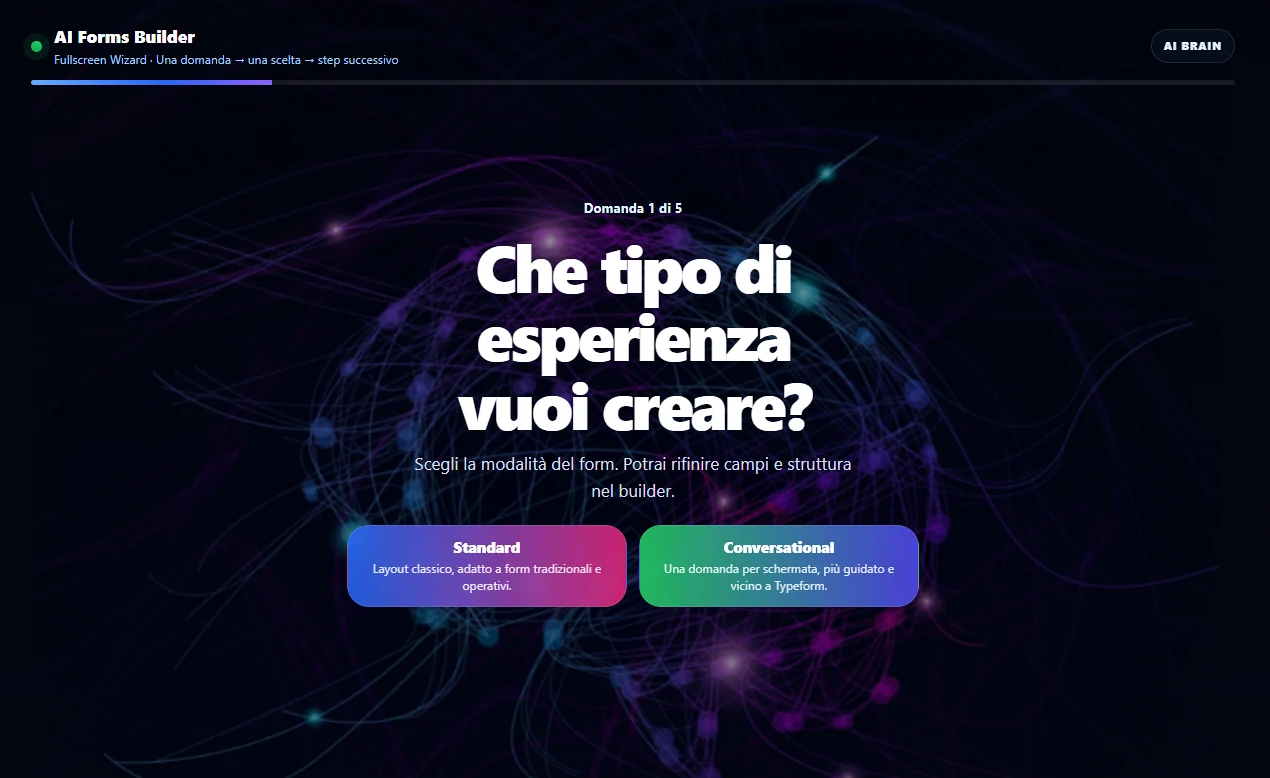
Primeforms AI Forms Builder for creating online forms with artificial intelligence

AI Wizard
One question at a time
Conversion Focus
Structure, copy and layout
Analytics + Booking
More than forms

AI Builder
prompt → form

Multi-step forms
less friction

Analytics
data and conversions

Booking
bookings

Integrations
CRM e workflow

More than forms. A smarter way to collect data.

Primeforms brings together AI, form design, submission management, analytics and booking. This way, a form is no longer just an isolated website element: it becomes part of your conversion journey.

AI to start better

Describe the form you want to create and get a structured starting point: fields, steps, microcopy, initial logic and a more organized setup.

Analytics to improve

Track submissions, trends and useful signals to understand whether the form is being completed, where it needs optimization and what requests are actually coming in.

Booking to capture requests

Create booking pages and flows for calls, consultations, appointments, events or services while collecting the information you need before the meeting.

AI should not just create forms faster. It should help you create better ones.

A form can fail for very simple reasons: the wrong question, a confusing order, a weak CTA, too many fields or unclear text. With Primeforms, AI becomes a practical assistant for creating a stronger first version.

You describe the goal: lead generation, quote request, survey, quiz, registration, feedback or booking. Primeforms helps you generate a starting structure, then you adapt it to your brand, your audience and your sales process.

01 · Structure

Fields and steps in a logical order

The first draft can include sections, questions, required fields and a more natural progression for the user.

02 · Copy

Clearer titles, descriptions and CTAs

Microcopy, labels and messages can help users understand what to do and why it matters.

03 · Design

Cleaner, more professional layouts

You can start from an organized structure and then customize colors, fields, steps and style according to your visual identity.

04 · Conversion

Less friction when filling out the form

More readable forms, shorter steps and more relevant questions can increase the chances of completion.

How it works

From prompt to publishing, without turning every form into a never-ending mini technical project.

1

Describe the goal

Write what you need: leads, quote requests, surveys, feedback, quizzes, registrations or booking.

2

Generate the first draft

AI suggests the structure, fields, steps and starting text aligned with the goal.

3

Customize it

Edit the design, logic, notifications, integrations, fields and completion flow.

4

Publish and measure

Embed the form on your site, collect submissions and use the data to improve the journey.

Everything you need to create, manage and optimize your forms

Primeforms stays easy to use, but it is not limited to basic forms. You can use it for campaigns, internal processes, bookings, surveys, lead qualification and structured data collection.

AI Form Generator

Generate forms from prompts and speed up the creation of contact forms, surveys, quizzes, quote requests and data collection flows.

Conditional logic

Show different fields, steps or messages based on answers, reducing unnecessary questions and confusing paths.

Multi-step forms

Break complex forms into clearer steps, useful for qualifying leads or collecting detailed information.

Analytics and reports

Monitor submissions, performance and collected data to understand which forms work and where you should improve.

Booking and appointments

Create flows for consultations, visits, calls, lessons, events or services that require availability and preliminary data collection.

Integrations and automations

Connect forms and data to the tools you already use, reducing manual steps and follow-up delays.

Form Analytics● live
Submissions
248
Conversion rate
12.8%

Step 1
Step 2
Submit

Do not just publish the form. Understand how it is performing.

Analytics are one of the most important parts of Primeforms because they turn a form from a simple field container into a measurable tool.

You can monitor submissions, trends, data quality and useful signals to understand whether the journey is too long, whether some information is not being collected properly or whether a form needs to be redesigned.

  • Monitor collected leads and requests
  • Read useful data to improve structure and copy
  • Use insights to optimize campaigns and landing pages

From form builder to request and booking system

Booking should not be a hidden feature at the bottom of the page. For many businesses, it is the decisive step: turning interest into an appointment, consultation, visit, call or registration.

With Primeforms, you can create journeys where users leave the necessary details and choose or request availability, while your team receives better-organized information before the first contact.

Consultations and calls

Perfect for qualified leads, demos, sales appointments and first-contact requests.

Services and appointments

Useful for studios, centers, courses, events, training, local services and organized requests.

Booking page

Book a consultation

09:30
11:00
15:30
Confirm request

What you can create with Primeforms

It is not just about the classic “contact form”. Primeforms is useful whenever you need to guide someone to submit accurate, complete and usable data.

Lead generation

Forms for campaigns, landing pages, lead magnets, consultations, quote requests and sales qualification.

Surveys and feedback

Questionnaires, NPS, polls, opinion collection, customer satisfaction and internal or external research.

Booking and registrations

Flows for bookings, events, courses, demos, appointments and requests with preliminary data.

Quote requests and inquiries

Collect useful information before sending a proposal, avoiding incomplete emails and unnecessary back-and-forth.

Quizzes and assessments

Create quizzes, assessments, tests, initial diagnostics and interactive journeys to engage users.

Internal processes

Document collection, operational requests, onboarding, reports, notifications and forms for internal teams.

Connect forms to the tools you already use

Submissions become truly useful when they enter your workflow: email marketing, CRM, automations, notifications, spreadsheets and operational tools.

integrazioni

Why choose a conversion-focused AI form builder

An online form builder should not only help you place a few fields on a page. It should help you create a clearer experience for the person filling it out and a more useful data flow for the person who manages submissions afterward.

Primeforms combines visual form creation, AI, multi-step forms, conditional logic, analytics, integrations and booking. This means you can create contact forms, quote requests, surveys, questionnaires, quizzes, lead magnets, event forms and booking journeys without starting from scratch every time.

The AI layer is especially helpful at the beginning: organizing questions, defining steps, suggesting clearer copy and creating a structure that better fits the goal. The analytics layer helps after publishing, when you need to understand whether the form is collecting useful data and whether the journey can be improved. The booking layer completes the system when the real goal is not just receiving a message, but turning interest into an appointment or operational request.

This makes Primeforms useful both for generating leads from your website and for collecting information, managing requests, organizing bookings or simplifying internal processes.

Frequently asked questions

Can I create forms with AI even if I am not technical?

Yes. AI is designed to help you start from a more organized draft. Then you can edit fields, text, design and settings from the editor.

Does AI replace human work?

No. AI speeds up the first phase and suggests a structure. Final review, brand context and the business goal remain essential.

Is Primeforms only for lead generation?

No. You can use it for leads, quote requests, surveys, feedback, quizzes, registrations, internal processes and booking.

Can I create booking pages?

Yes. Booking is one of the most important use cases: you can collect requests, preliminary data and appointments in a more organized way.

Are analytics included?

The platform is designed to go beyond form creation: you can monitor useful data and performance to improve forms over time.

Do I need a credit card to start?

No. You can start for free and test Primeforms without a credit card.

Create clearer forms. Collect better data. Convert with less friction.

Try Primeforms and build forms, surveys and booking pages with AI, logic, analytics and integrations in one workspace.

No credit card required · Start from a template or generate your first form with AI